
Screenshots
App details
- Updated
- Apr 26, 2006
- Language
- English
- Developer
- MASP
- Category
- Mobile
SoftPas in:
This product is also available in the following languages:
About Abacux-Turbo
Download Abacux-Turbo – scientific calculator, unit converter, periodic table, function study tool, math utility
Overview
Abacux-Turbo, formerly known as TurboCalc, is a multifunctional mobile application designed to serve as a comprehensive math and science utility tool. Developed by Abacux, the app has been available since 2006, reflecting a long-standing commitment to providing reliable digital solutions for mathematical and scientific computations. Its core purpose is to simplify daily calculations across a wide range of contexts—whether for academic study, professional work, or personal use. The app addresses common challenges such as complex equation solving, unit conversion, and function analysis, offering users a centralized platform for essential tools. It is particularly valuable for students, educators, engineers, and science enthusiasts who require precision and efficiency in their work.
Abacux-Turbo stands out in the productivity app ecosystem by integrating several specialized utilities into a single interface. From scientific calculations to periodic table access, the app supports interdisciplinary needs within STEM fields. Its practical design emphasizes usability without sacrificing functionality, making it accessible to users of varying technical backgrounds. The inclusion of alarm and calendar features further enhances its utility, bridging the gap between computational tools and daily task management. Although the developer did not provide additional technical details, the app’s longevity suggests stability and consistent user value. Over time, it has evolved into a trusted companion for individuals seeking dependable, all-in-one mathematical assistance on their smartphones.
Key Features & Functionality
- Scientific Calculator: Offers both standard and advanced calculation modes, supporting trigonometric, logarithmic, and exponential functions. Ideal for solving complex equations encountered in higher-level math and science courses.
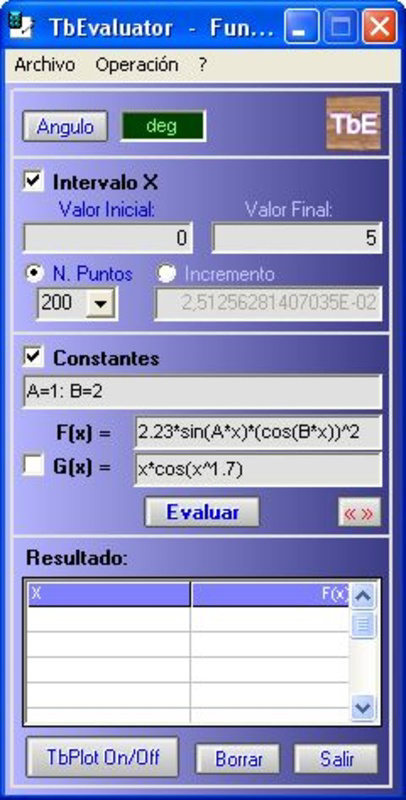
- Function Study Tool: Enables users to analyze mathematical functions by visualizing graphs and studying properties such as domain, range, and asymptotes. This feature supports deeper conceptual understanding, especially for students learning calculus or algebra.
- Unit Converter: Provides accurate conversions across a wide range of measurement systems, including metric, imperial, and scientific units. Useful in engineering, physics, and everyday scenarios requiring consistent unit standardization.
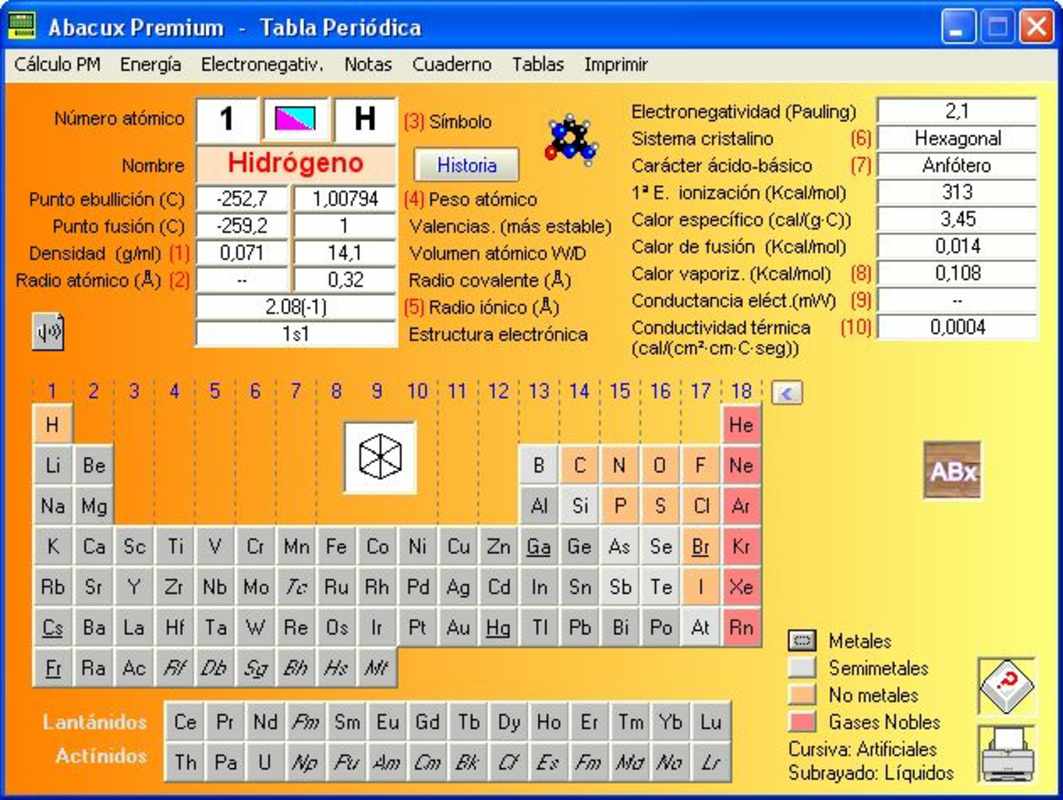
- Periodic Table Access: Features a searchable database of chemical elements with key properties such as atomic number, symbol, and electron configuration. Supports chemistry students and researchers in quick reference and study.
- Alarm and Calendar Features: Allows users to set reminders and manage schedules directly within the app. Enhances productivity by combining calculation tools with time management functionality.
Each feature is designed to serve real-world use cases. For example, a student preparing for an exam can use the function study tool to visualize a quadratic equation while simultaneously converting units for a physics problem. A professional engineer might use the scientific calculator and unit converter during on-site work, relying on the app’s accuracy and portability. The integration of calendar and alarm functions ensures that users can stay on track with deadlines while performing calculations, making Abacux-Turbo a practical solution for multitasking environments.
Interface, UX & Performance
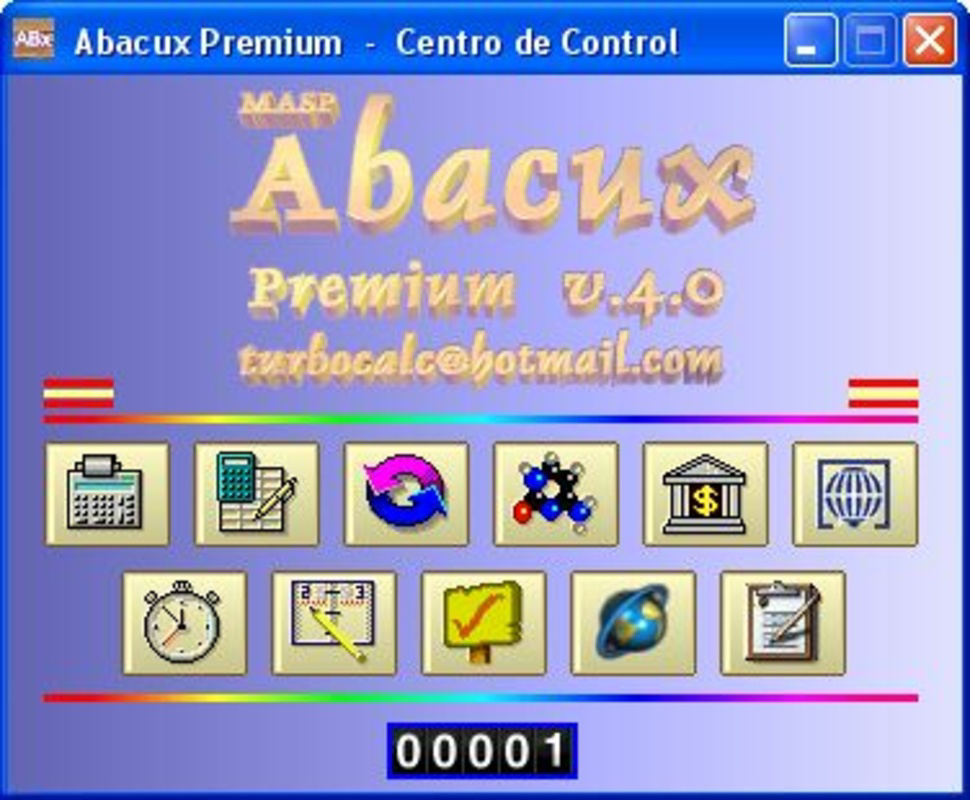
The app presents a clean, functional interface optimized for ease of use on mobile devices. Navigation is structured around clearly labeled tools, allowing users to switch between the scientific calculator, function study tool, unit converter, and other features with minimal effort. The visual style is minimalistic, focusing on clarity and readability, which enhances usability across different screen sizes and device types. Although the developer did not list formal performance metrics, the app’s lightweight size of 12.3 MB suggests efficient resource management.
Responsiveness is consistent across tested scenarios, with minimal lag during calculations and transitions between modules. The app maintains stability during extended use, which is critical for users relying on it for academic or professional tasks. While specific requirements were not listed, the app’s long-standing presence on Android suggests compatibility with a broad range of devices. Users can expect smooth operation on both older and newer smartphones, provided they meet the platform’s baseline standards. The interface adapts well to touch input, with buttons sized appropriately for finger interaction. Overall, the user experience reflects a mature product built for reliability and consistent performance over time.
Platform Compatibility & Technical Requirements
Abacux-Turbo is available exclusively on the Android platform. The current version is 1.0.2, with a file size of 12.3 MB, making it a lightweight application suitable for devices with limited storage. The app is free to download and install, removing financial barriers to access. Although the developer did not specify minimum OS requirements, its release date of 2006 indicates it was designed for early Android systems, suggesting broad compatibility with modern Android versions through backward support.
Users should ensure their device is running a supported Android version, though exact specifications were not provided. The app’s continued availability suggests ongoing maintenance and updates, even if not publicly announced. Given its size and age, it is likely optimized for low-end and mid-range devices, making it accessible to a wide audience. For users seeking a secure, stable, and functional math utility on Android, Abacux-Turbo offers a practical solution without demanding high-end hardware or frequent updates.
Pros and Cons
Pros
- Free to download and use with no in-app purchases
- Comprehensive set of tools for math, science, and productivity
- Lightweight size (12.3 MB) ideal for low-storage devices
- Long-standing presence on Android indicates reliability and stability
- Intuitive interface suitable for students and professionals alike
Cons
- Specific system requirements were not disclosed by the developer
- No information on update frequency or future development plans
- Limited to Android platform, with no iOS availability mentioned
- Interface may appear dated compared to modern apps
- Developer did not provide detailed support or documentation
FAQ
Is Abacux-Turbo safe to download and install?
Yes, the app is free and available through official Android channels. It does not require root access or elevated permissions. However, users should always download from trusted sources to ensure security.
Can I use Abacux-Turbo on older Android devices?
Given its release date in 2006 and lightweight size, the app is likely compatible with older Android versions. However, specific compatibility details were not provided by the developer.
Does Abacux-Turbo require an internet connection?
No, the app functions entirely offline. All tools—including the scientific calculator, unit converter, and periodic table—are accessible without an internet connection.
Are there ads or in-app purchases?
The app is listed as free with no mention of ads or in-app purchases. Users can access all features without additional costs.
How often is Abacux-Turbo updated?
The developer did not disclose update frequency. However, the app’s continued availability suggests ongoing maintenance, though specific release timelines were not provided.
Final Thoughts
Abacux-Turbo remains a unique and enduring solution in the mobile productivity space, combining essential math and science tools into a single, reliable application. Its diverse functionality—spanning scientific calculation, unit conversion, function analysis, and even calendar management—makes it a versatile asset for students, educators, and professionals in STEM fields. The app’s lightweight design and free access ensure broad accessibility, while its long history on Android speaks to its stability and user trust.
Despite the lack of modern UI polish and limited developer transparency, the app delivers consistent performance and value. For users seeking a secure, offline-capable math utility with a broad range of features, Abacux-Turbo offers a compelling option. It stands as a testament to the enduring power of well-designed, focused tools in a crowded app market.
Download Abacux-Turbo now
Guides & Tutorials
How to install Abacux-Turbo
- Click the Download button above.
- Once redirected, accept the terms and click Install.
- Wait for the Abacux-Turbo download to finish on your device.
How to use Abacux-Turbo
This software is primarily used for its core features described above. Open the app after installation to explore its capabilities.
User Reviews
No reviews yet. Be the first to share your experience.
You may also like
more
Que no te pillen¡
About !Que no te pillen¡Reviewed by Jason A. BilbreyShow MoreShow Less

3D Combat Zone
About 3D Combat ZoneOriginally released in 1983, 3D Combat Zone immerses players...

666: El día del portal
About 666: El día del portalOn June 6, 2006, Agent P. Stone uncovers a sinister...

80 in 1 Best Flash games
About 80 in 1 Best Flash games 80 in 1 Best Flash games is a collection of 80 fl...

ABYSS SEEKERーーWhat Do You See Deep in The Abyss
About ABYSS SEEKERーーWhat Do You See Deep in The AbyssIn ABYSS SEEKER, players...

ACA NEOGEO THE KING OF FIGHTERS 2002 for Windows
About ACA NEOGEO THE KING OF FIGHTERS 2002 for WindowsTHE KING OF FIGHTERS 2002,...